
If your Google Business Profile ranking is low or not showing up on Google Maps, you’re not alone. Many small business owners set up their profile but never see results. The good news is there are specific, fixable reasons this happens. Here are the top issues and what you can do to get your GBP ranking and generating leads.
In today’s competitive digital landscape, simply creating a Google Business Profile isn’t enough. Google uses a combination of relevance, distance, and prominence to determine which businesses show up in local search results. If your profile lacks detail, engagement, or trust signals, it’s likely getting buried beneath more optimized competitors even if your business offers better services. Understanding how Google evaluates local businesses is the first step toward improving visibility.
Another common issue is inconsistency. Google compares your GBP information to other online sources such as your website, directories, and social media profiles. If your business name, phone number, or address (NAP) doesn’t match exactly across platforms, Google may not trust the information and that directly impacts your ranking. Inaccurate or incomplete listings also lead to customer confusion and lost credibility, which can negatively affect click-through rates and conversions.
Lastly, many business owners fail to regularly engage with their profile. Google rewards activity. Posting updates, responding to reviews, uploading new photos, and updating services shows that your business is active and trustworthy. Profiles that are frequently updated tend to rank higher and appear in more relevant search queries. By taking time each week to maintain your Google Business Profile, you’re investing in a long-term strategy that helps your business get discovered by local customers who are ready to buy.
1. Google Business Profile Ranking: Incomplete or Inaccurate Details
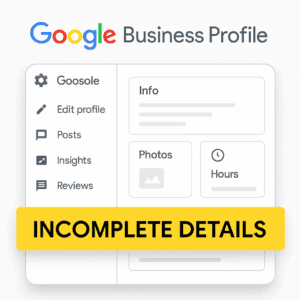
Google prioritizes profiles that are complete, accurate, and consistent.
Fix it: Log in to your GBP dashboard and fill out every section. Think of it as your digital storefront.
2. Wrong Business Category or No Services Listed
Your primary category is one of the biggest ranking signals. If it’s inaccurate or missing, Google may not match you with the right customers.
Fix:
3. No Reviews or Engagement Activity
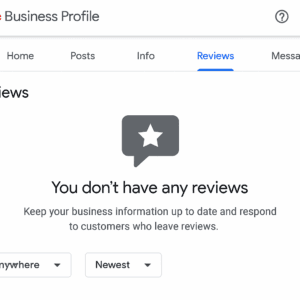
Google wants to show businesses that people trust. Profiles with no reviews or Q&A activity are often ignored.
Fix:
4. No Posts or Updates
Posts show Google that your business is active. If you haven’t posted in months, you lose freshness points.
Fix:
5. You Have No Local Citations or Backlinks
Google cross-checks your business info across directories like Yelp, Bing, and Facebook. Lack of consistency or listings hurts your credibility.
Fix:
Your Google Business Profile can be a powerful tool when optimized properly. It builds credibility, boosts local visibility, and brings in new leads often before someone even visits your website. If your GBP isn’t ranking, don’t guess. Fix these common issues one step at a time. Learn more in Google’s official GBP help page.
Need Help Fixing and Ranking Higher on Google Maps?
At Nomo Web Media, we specialize in Google Business Profile ranking strategies that help local businesses get found fast and improve GBP visibility. Whether you’re starting fresh or trying to outrank competitors, we’ll help your listing show up and stand out.
→ Book Your Free GBP Audit Today
Nomo Web Media specializes in Google Business Profile (GBP) optimization and custom automation to help businesses stand out and operate efficiently. We provide expert GBP management and tailored automation solutions to boost visibility, streamline operations, and drive more leads in Tucker, Decatur, Atlanta, Stone Mountain, Lilburn, Clarkston, Alpharetta, Johns Creek, Buckhead, North Druid Hills, Old Fourth Ward
Monday : 7 AM – 8 PM
Tuesday : 7 AM – 8 PM
Wednesday : 7 AM – 8 PM
Thursday : 7 AM – 8 PM
Friday : 7 AM – 8 PM
Saturday: 7 AM – 8 PM
Sunday: 7 AM – 8 PM